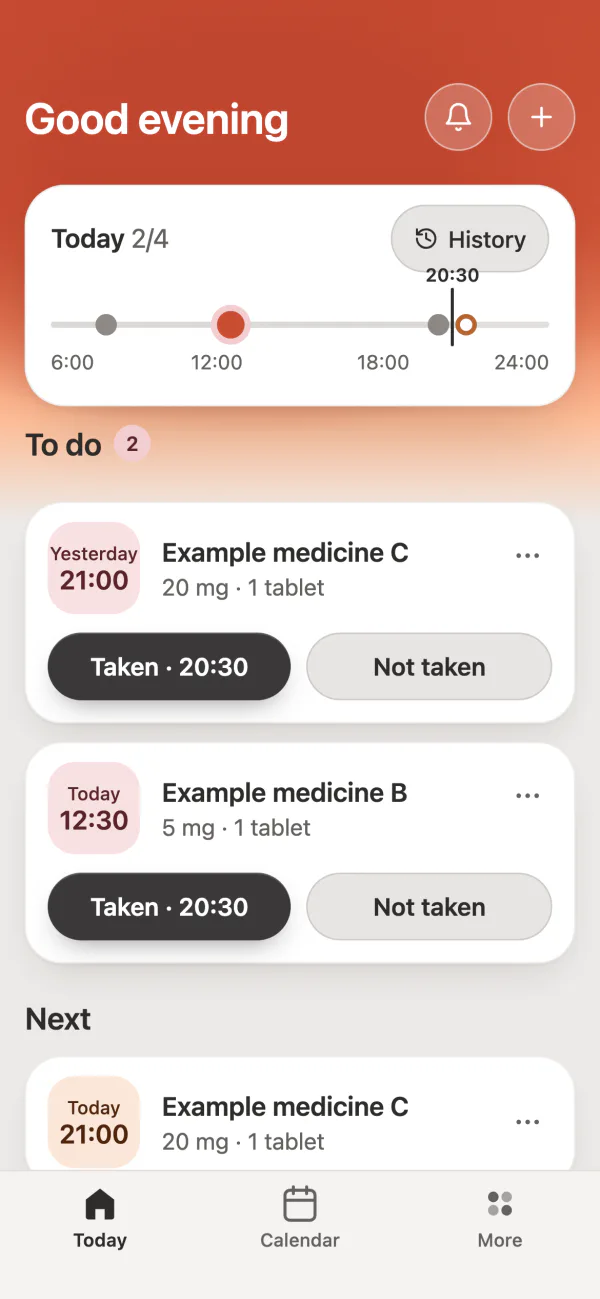
Undo within 10 seconds
Tapped the wrong dose? Undo straight away and it goes back to how it was.
In development for iPhone
SmartCarry turns the medication schedule you already follow into a checklist for days out and trips. You review it, adjust it and decide what gets saved.
It works from the schedule you already follow. It doesn’t diagnose, change medicines or doses, or suggest new times to take them.
Four steps from “I’ll be out all day” to a packed bag.
Choose a time window, or one of your events in SmartCarry.
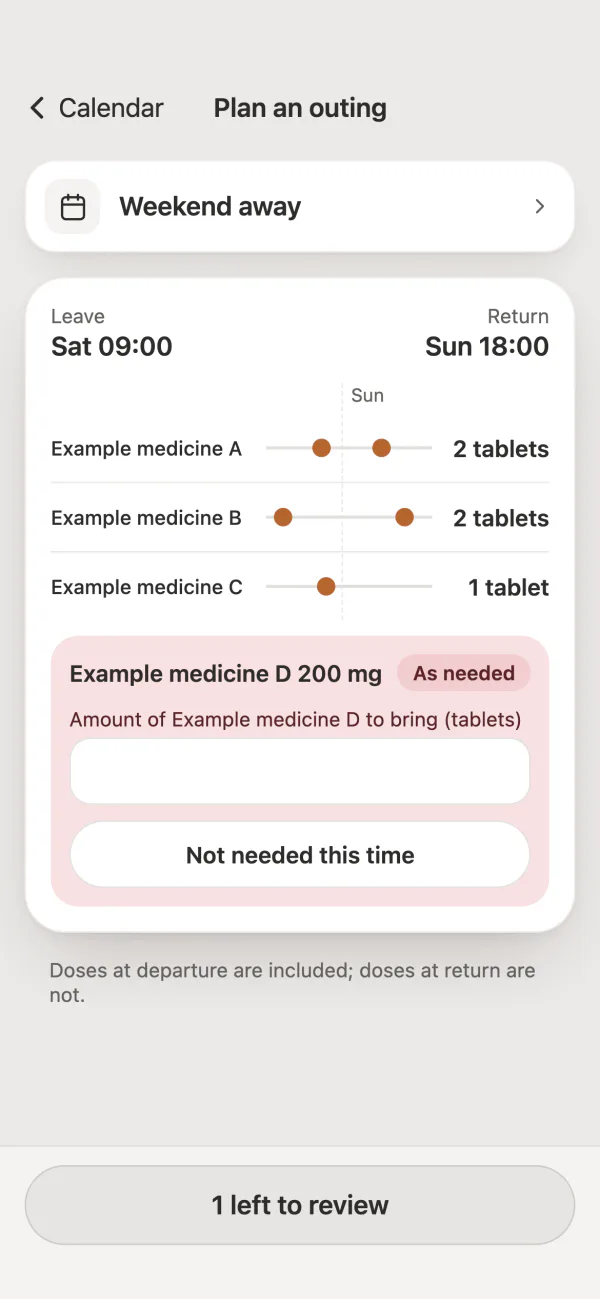
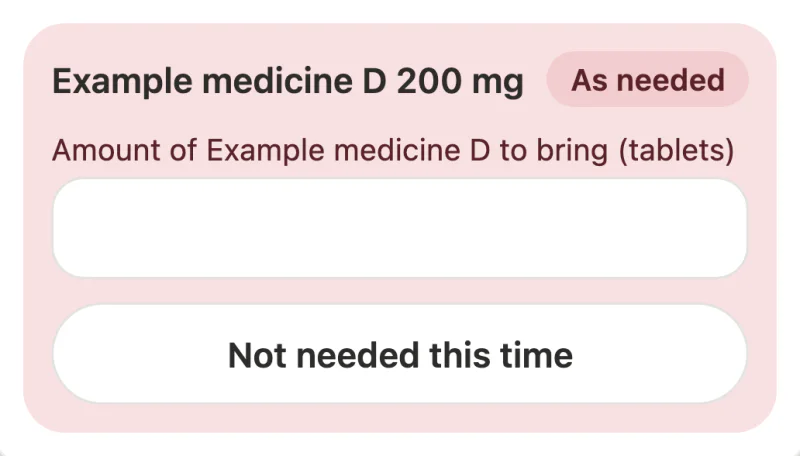
Anything SmartCarry can’t work out from your schedule waits for you. Enter an amount, or mark it as not needed this time.
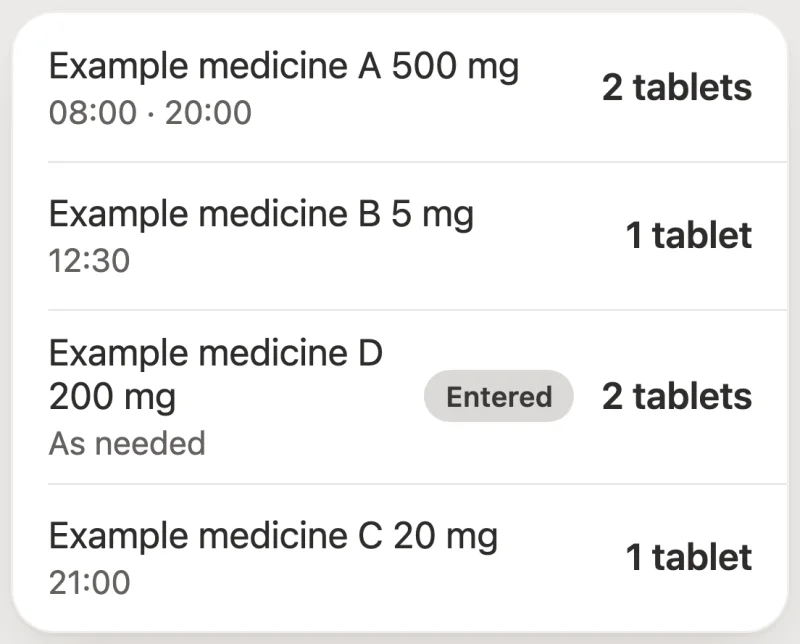
Each medicine shows how much to take with you and the scheduled doses behind that number.
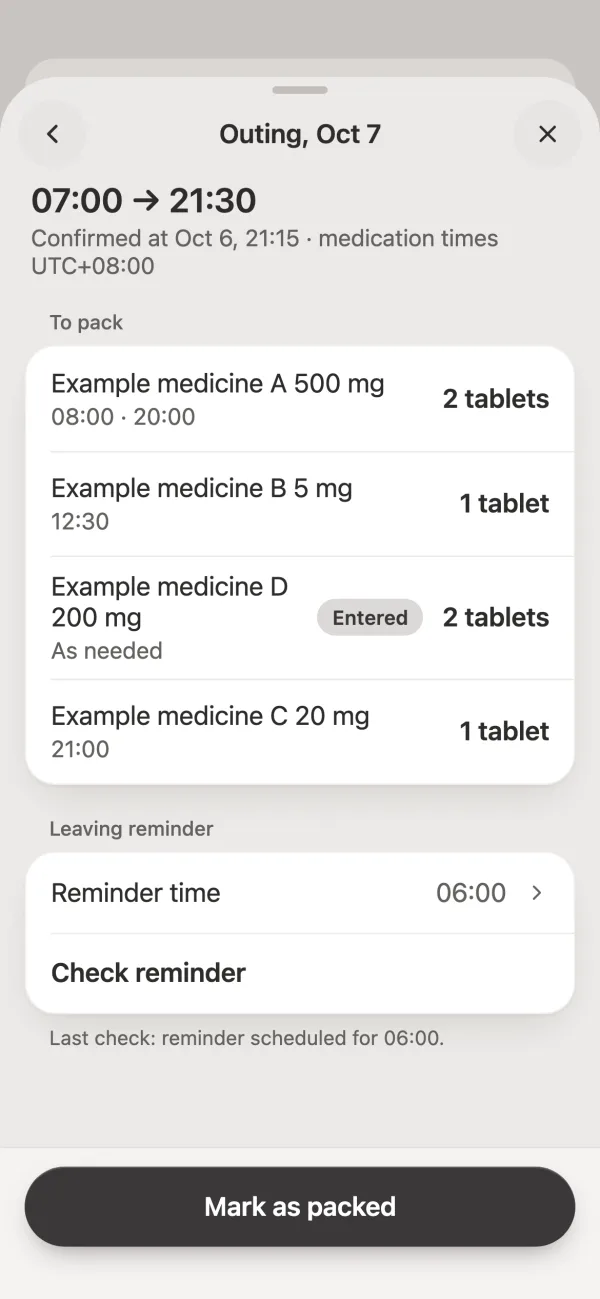
Set a reminder before you leave. The app shows whether it was actually scheduled.
Design mockups of the app in development, with example data. Not screenshots.
Packing your bag and taking a dose are recorded separately.
Outings are where SmartCarry starts. The same app keeps today’s doses and your records in order.
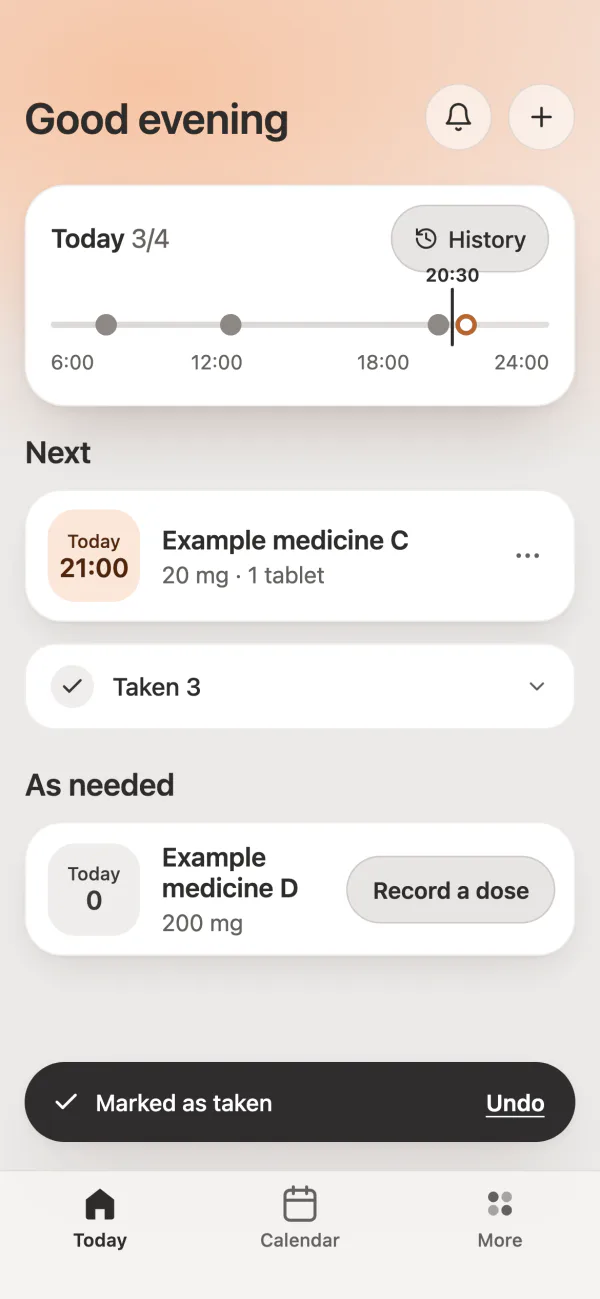
What’s due, what’s done and how far through the day you are.
They get their own card. Record a dose when you take one.
Design mockups of the app in development, with example data. Not screenshots.
Mistakes happen and plans change. SmartCarry is built for both.
Tapped the wrong dose? Undo straight away and it goes back to how it was.
Correct a dose you recorded by mistake, or add one you forgot, anywhere in the last seven days.
If an amount can’t be worked out from your schedule, SmartCarry leaves it blank and asks you.
The packing list shows the doses behind each amount, or notes that you decided it yourself.
Choose whether doses follow local time or stay on home time. SmartCarry doesn’t pick for you. If you’re not sure, ask your doctor or pharmacist.
Export a readable copy of your records, including a Markdown file. Email addresses, phone numbers and ID numbers are swapped for labels by default.
Pictures: design mockups of the app in development, with example data. Not screenshots.
Push a due dose back. If the next dose is too close, SmartCarry tells you why it can’t.
A dose you didn’t get to yesterday stays on Today until you deal with it or the next dose of that medicine is due.
Set aside a medicine you’re not taking for now, without deleting it.
Link medicines to an event and get a reminder to bring them.
Save a backup where you choose, and restore it on this iPhone or a new one. The backup file isn’t encrypted.
SmartCarry works from the schedule you already have. It doesn’t diagnose, and it never changes a medicine, a dose or a time on its own.
Your medication records are stored on your iPhone. The app doesn’t send them to us.
SmartCarry can’t know whether you took a dose. Taken, skipped and packed are your own reports, kept as separate records.
Not in the app yet. Listed so you can see where it’s going.
Describe an outing in a sentence and let Apple’s on-device model fill in the form, on iPhones that support it. You still check every amount.
Ask when your next dose is due, record the dose that’s due, or start a packing list.
SmartCarry isn’t designed or intended to be a medical device. It doesn’t diagnose or treat anything, and it never changes your medicines, doses or times. Talk to your doctor or pharmacist about your treatment.
No. It keeps what you tell it. Marking a dose as taken, or your bag as packed, is your own report.
On your iPhone. The app doesn’t send them to us. You can export a readable copy whenever you like.
Not yet. SmartCarry is still in development, and testing with users hasn’t started. Sign-up isn’t open yet.
The first version will be free.
iPhone first. An Android version isn’t part of the first release.
It’s being prepared in 11 languages: English, Spanish, German, Japanese, French, Portuguese, Russian, Italian, Dutch, and Simplified and Traditional Chinese. Translations are still being reviewed.
We’re preparing a first round of testing on iPhone. Sign-up isn’t open yet.
Not open yet